Best VPN with Antivirus Protection 2026
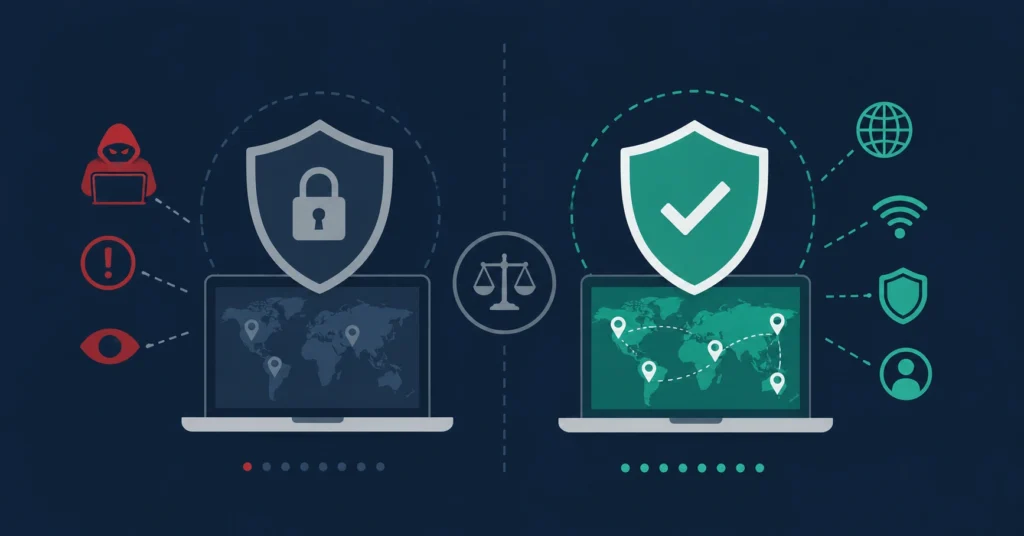
A VPN protects your connection. An antivirus protects your device. They fight completely different threats — but together, they cover almost everything. This guide breaks down which VPNs include genuine threat protection, and which antivirus programs come with a real VPN worth using.
The security software market in 2026 has blurred a lot of old boundaries. VPN providers have added malware blockers. Antivirus companies have bundled VPNs into their subscriptions. Some products genuinely do both well — others treat the second feature as an afterthought to justify a higher price.
So before you buy anything, it helps to understand what each type of tool actually protects you from — and what it doesn’t.
VPN vs. Antivirus — What Each One Actually Does
These two tools are often bundled together, but they operate on completely different layers. Knowing the difference helps you figure out what you actually need.
A VPN Protects
- Your internet connection
- Your IP address and location
- Your data on public Wi-Fi
- Your traffic from ISP tracking
- Access to geo-blocked content
Antivirus Protects
- Your device from malware
- Files you download
- Running processes in real time
- Ransomware and spyware
- Phishing attempts
A VPN alone won’t catch a virus hiding in a downloaded file. An antivirus alone won’t hide your IP or protect you on an open network. They’re not interchangeable — they’re complementary. Now let’s look at which products actually combine them well.
VPNs That Include Real Threat Protection
The providers below have gone beyond basic encryption and added security layers that block threats before they reach your device. The quality and depth of these features varies significantly — here’s what each one actually offers.
NordVPN — Threat Protection Pro
NordVPN’s Threat Protection Pro is the most developed security add-on among VPN providers. It works on two levels simultaneously: it blocks malicious websites and ad trackers before pages load, and it scans files as you download them — catching threats before they land on your device.
The feature that sets it apart is independence: Threat Protection Pro keeps running even when you’re not connected to the VPN. Most VPN-based security features stop the moment you disconnect. This one doesn’t — which makes it meaningfully more useful for everyday protection.
Pros
- Works independently of VPN connection
- Scans downloads in real time
- Strong no-log policy, independently audited
- One of the largest server networks available
Cons
- Not a full antivirus replacement
- No on-demand full device scan
- Threat Protection Pro on higher-tier plans
ExpressVPN — Threat Manager
ExpressVPN’s Threat Manager blocks your device from communicating with known malicious servers and filters out third-party trackers across websites and apps. It works at the app level rather than just the browser — meaning it covers more of your traffic, including what apps do in the background when you’re not looking.
Threat Manager is included in ExpressVPN’s standard plans with no extra setup required. It’s a cleaner, less intrusive approach than some competitors — it doesn’t scan files or operate offline from the VPN, but it’s effective at the threats it targets.
Pros
- Covers app traffic, not just browsing
- No additional cost or setup
- Consistently fast VPN performance
- Strong reputation for reliability
Cons
- Requires VPN to be active
- No file scanning capability
- Less comprehensive than NordVPN’s offering
Proton VPN — NetShield
Proton VPN comes from the same Swiss team behind ProtonMail, with a long track record in privacy. NetShield works at the DNS level: it blocks malware domains, ads, and trackers before your device even attempts a connection. Because nothing loads, it’s fast and lightweight — there’s no processing overhead.
Proton’s open-source apps and independently verified no-log policy make it one of the most transparent options in this space. NetShield is available on paid Proton VPN plans. For a closer look at everything Proton VPN offers, see our Proton VPN review.
Pros
- Strongest privacy credentials in the category
- Transparent, open-source codebase
- Lightweight DNS-level protection
- Free plan available (without NetShield)
Cons
- NetShield on paid plans only
- DNS blocking only — no file scanning
- Smaller server network than NordVPN or ExpressVPN
Surfshark One — CleanWeb & Built-in Antivirus
Surfshark takes a different approach from the others: their Surfshark One plan includes a proper antivirus engine alongside the VPN — not just a blocker, but real-time file scanning and scheduled device scans. It also adds a data breach alert tool and a private search engine. For households or anyone who wants everything under one subscription, the unlimited simultaneous device connections are a practical advantage.
The base Surfshark plan includes CleanWeb, which handles ad blocking, phishing links, and malicious websites at the DNS level. Upgrading to Surfshark One takes that into genuine antivirus territory. Check our full Surfshark VPN review for a deeper breakdown.
Pros
- Full antivirus engine in One bundle
- No device connection limit
- Breach monitoring and private search included
- Good value for families and multi-device users
Cons
- Full antivirus requires plan upgrade
- AV engine less established than dedicated brands
- CleanWeb alone is DNS-level only
Antivirus Suites That Include a VPN
These products lead with antivirus protection — which in most cases is the stronger half — and include a VPN as part of the subscription. The VPN quality varies quite a bit, so it’s worth understanding exactly what you’re getting on that side.
Norton 360 — Norton Secure VPN
Norton 360 is one of the most complete security suites available: strong antivirus protection, a built-in VPN, a password manager, dark web monitoring, and cloud backup — all in one subscription. The antivirus engine performs consistently well in independent lab testing.
Norton Secure VPN uses a no-log policy and bank-grade encryption, making it a solid choice for everyday privacy — securing public Wi-Fi, hiding your IP, and handling standard browsing. For heavy streaming across regions or advanced privacy configurations, a dedicated VPN will outperform it. Our Norton Antivirus review covers the full protection suite in detail.
Pros
- One of the most complete security suites
- Antivirus is well-tested and reliable
- Dark web monitoring adds real value
- Multi-platform support
Cons
- VPN not as advanced as dedicated providers
- Can feel heavy on older hardware
- VPN connection limit varies by plan
Bitdefender Premium Security — Antivirus + VPN
Bitdefender earns near-perfect scores in independent security lab testing, and its system performance impact is notably lighter than most competitors. The antivirus protection is comprehensive — real-time scanning, ransomware protection, anti-phishing, and a solid firewall. The VPN component handles everyday privacy needs well. Standard plans include the VPN with a daily data limit; the Premium Security plan removes that limit entirely.
Pros
- Best-in-class antivirus protection
- Lightweight on system resources
- Unlimited VPN on premium plan
- Comprehensive suite of security features
Cons
- VPN limited on standard plans
- VPN less capable than dedicated providers
- Unlimited VPN requires premium tier
Avast One — Security Suite with VPN
Avast One combines antivirus protection, a VPN, a data breach monitor, and device performance tools in a single subscription. The antivirus engine is well-established, and the included VPN provides unlimited data on paid plans with a reasonably sized server network.
Pros
- Unlimited VPN on paid plans
- Solid, established antivirus engine
- Breach monitoring included
- Clean, user-friendly interface
Cons
- VPN network smaller than dedicated providers
- Past data practice controversies worth researching
- Free version has significant limitations
Kaspersky Premium — Strong AV, But Read This First
For users in regions where it remains available, Kaspersky Premium consistently achieves top scores in independent security lab testing — the antivirus protection is genuinely excellent. The bundled VPN (Kaspersky VPN Secure Connection) covers everyday privacy needs and performs well for basic browsing and IP masking.
Pros
- Excellent independent lab test results
- VPN included in premium plans
- Low system performance impact
- Comprehensive protection suite
Cons
- Banned in the United States since 2024
- Ongoing trust concerns in Western markets
- VPN less capable than dedicated services
Which Approach Is Right for You?
It depends entirely on which problem you’re trying to solve first.
If privacy and connection security come first — you’re frequently on public Wi-Fi, you travel, or you want to keep your browsing away from ISP tracking — start with a strong dedicated VPN. NordVPN’s Threat Protection Pro or Proton VPN’s NetShield add real security layers on top. Pair either with a free antivirus if budget is a consideration.
If device protection is the priority — you want reliable defense against malware, ransomware, and phishing across your machine — start with a quality antivirus. Norton 360 and Bitdefender Premium both include VPNs that handle everyday needs without requiring a second subscription.
If you want a single subscription for both — Surfshark One is the most complete attempt at combining them in a VPN-first bundle. Worth checking current independent lab results for the antivirus component before committing, since it’s less established than the dedicated security brands.
Side-by-Side Comparison
| Product | VPN Quality | Full Antivirus | Works Without VPN | Best For |
|---|---|---|---|---|
| NordVPN (Threat Protection Pro) | ✓ Excellent | ✗ No | ✓ Yes | Privacy-first users |
| ExpressVPN (Threat Manager) | ✓ Excellent | ✗ No | ✗ No | Speed + tracker blocking |
| Proton VPN (NetShield) | ✓ Very good | ✗ No | ✗ No | Privacy + transparency |
| Surfshark One | ✓ Very good | ✓ Yes | ~ Partial | All-in-one value |
| Norton 360 | ~ Good | ✓ Excellent | ✓ Yes | Complete security suite |
| Bitdefender Premium | ~ Good | ✓ Best-in-class | ✓ Yes | Security-first users |
| Avast One | ~ Decent | ✓ Good | ✓ Yes | Budget all-in-one |
| Kaspersky Premium | ~ Decent | ✓ Excellent | ✓ Yes | Non-US users only ⚠ |
Ratings are based on results from independent security labs (AV-Test, AV-Comparatives) and professional review platforms.
Frequently Asked Questions
Can a VPN replace antivirus software?
No. A VPN encrypts your connection and hides your IP address — it doesn’t scan your device for malware, check downloaded files, or monitor running processes. You need both tools for complete protection. Think of them as different layers, not alternatives to each other.
Is NordVPN’s Threat Protection the same as antivirus?
Not exactly. Threat Protection Pro blocks malicious URLs and scans files as they download — which is genuinely useful. But it doesn’t perform on-demand full device scans or run real-time background monitoring the way a dedicated antivirus does. It’s a strong supplementary layer, not a full replacement.
Is the VPN inside Norton or Bitdefender good enough?
For everyday use — securing public Wi-Fi, hiding your IP, standard browsing — yes, both are adequate. For heavy streaming across regions, advanced no-log privacy requirements, or consistent speed across many countries, a dedicated VPN provider will generally outperform them.
Why is Kaspersky banned in the US?
The US government issued a ruling in June 2024 banning Kaspersky software, citing national security concerns related to the company’s Russian origins and potential data access. The ban applies to new sales and downloads in the United States. Users in other countries are not currently affected by this restriction.
Do I really need both a VPN and antivirus?
For most users, yes — especially in 2026. Malware threats and connection-based surveillance have both become more common and harder to spot. The good news is that several products now bundle both in a single subscription, so you don’t need to run two separate services from two different companies.
Browse our full comparisons — whether you’re starting from the VPN side or the antivirus side.